A shared mailbox should make teamwork easier—not create confusion about who owns a message, whether someone already replied, or what still needs follow-up.
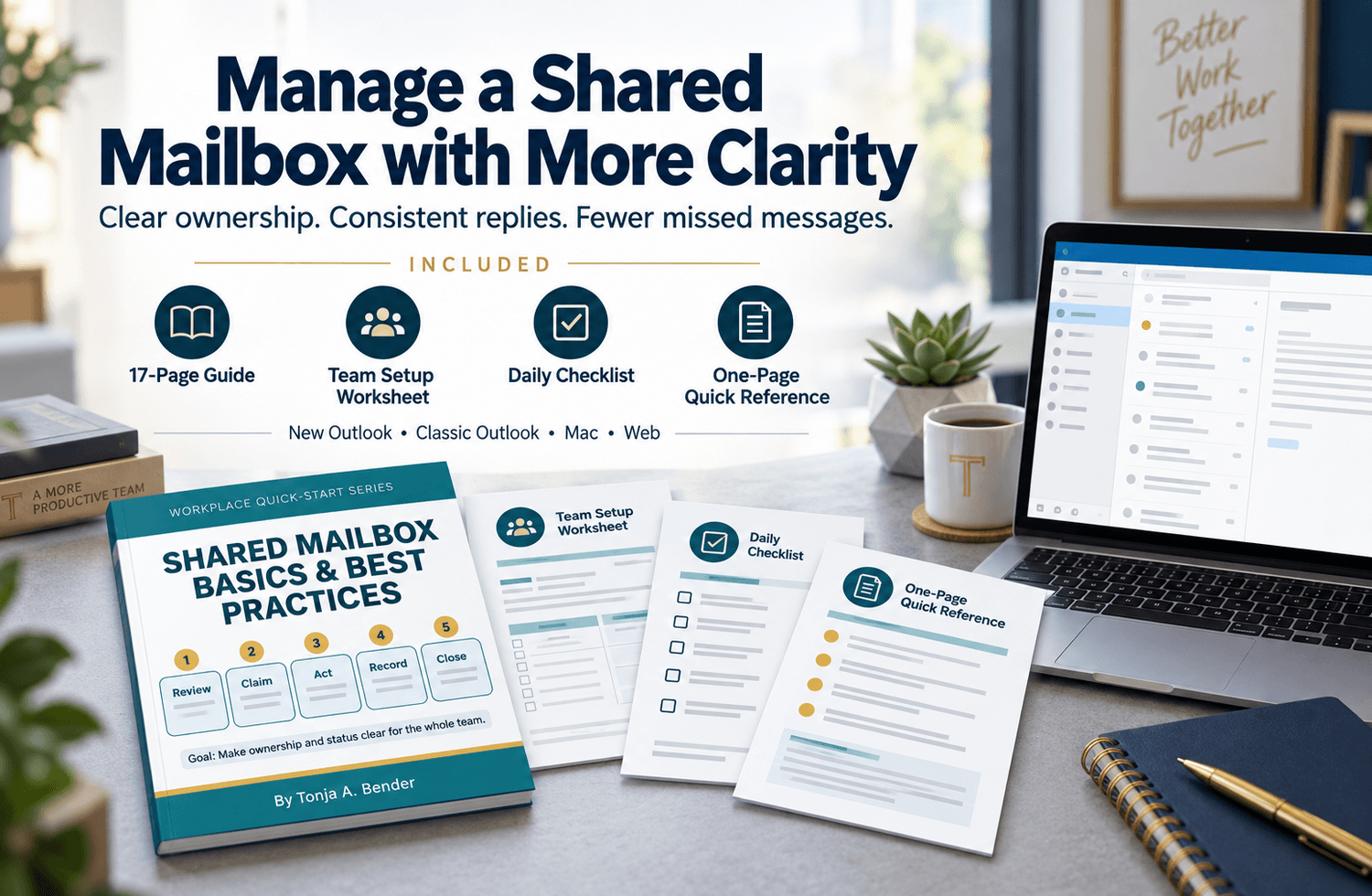
Shared Mailbox Basics and Best Practices walks you through how to open, use, search, and send from a shared mailbox while building a simple team routine for managing ownership, status, follow-up, and completed work.
The guide covers New Outlook for Windows, Classic Outlook for Windows, Outlook for Mac, and Outlook on the web. It explains the important differences between Full Access, Send As, and Send on Behalf permissions and shows you how to confirm the correct sending address before replying.
Designed for beginners, the package can also serve as an onboarding job aid, daily reference, or starting point for creating a more consistent shared-mailbox process.
What Is Included
- 17-page Shared Mailbox Basics and Best Practices PDF guide
- Team Setup Worksheet
- Daily Shared Mailbox Checklist
- One-page Quick Reference
- Instructions for New Outlook for Windows
- Instructions for Classic Outlook for Windows
- Instructions for Outlook for Mac
- Instructions for Outlook on the web
- Clear explanation of Full Access, Send As, and Send on Behalf permissions
- Practical four-status workflow: New, In Progress, Waiting, and Complete
- Best practices for folders, categories, flags, and rules
- Duplicate-reply and missed-follow-up prevention steps
- Troubleshooting table for common access, permission, sender, notification, and folder problems
- Guidance for handing unfinished work to another team member
Key Benefits
- Understand how shared-mailbox access and sending permissions work
- Find the correct instructions for the Outlook version you use
- Confirm that messages are being sent from the intended shared address
- Reduce duplicate replies and missed messages
- Make message ownership and status easier for the team to see
- Create a consistent routine for reviewing, assigning, responding to, and closing messages
- Record owners, follow-up dates, next actions, and relevant context
- Give new employees a practical reference they can use during onboarding
- Identify common problems before repeatedly resending a message or changing mailbox settings
Who This Is For
A practical fit for:
- Employees who are new to using a shared Outlook mailbox
- Administrative and accounting teams
- Accounts payable and accounts receivable teams
- Customer service and support teams
- Office managers and executive assistants
- Small-business and nonprofit employees
- Supervisors creating onboarding or cross-training resources
- Teams that need a clearer way to manage ownership and follow-up
- Individuals who want to better understand shared-mailbox features and responsibilities
Important Compatibility Note
Microsoft 365 features, menu names, and shared-mailbox behavior may change over time. Available features can also vary by Outlook version, account type, permission level, device, Microsoft 365 update, and organization policy.
A Microsoft 365 administrator must create the shared mailbox and grant the appropriate access and sending permissions. This guide does not replace your organization’s IT, privacy, records-retention, or information-security requirements.
If your screen differs from the guide, confirm which Outlook version you are using and check with your Microsoft 365 administrator or IT support contact.
Individual-Use License
This purchase includes an individual-use license for the named purchaser. You may use the files for personal learning and your own work.
The files may not be shared with coworkers, uploaded to a shared drive or learning-management system, redistributed, posted publicly, resold, or modified for resale.
Need an editable Microsoft Word version or permission for team, department, training, or organization-wide use? Select Ask a Question Before Buying before completing your purchase so the appropriate licensing and pricing can be provided.
Digital Product Notice
This is a downloadable digital product. No physical product will be shipped.
Microsoft Outlook and Microsoft 365 are required to apply the software-specific instructions. Access to Outlook, a Microsoft 365 subscription, shared-mailbox permissions, and administrator support are not included with this purchase.
This product is not affiliated with, endorsed by, or sponsored by Microsoft Corporation.
Refund Policy
Because this is a downloadable digital product, all sales are final once the files have been delivered or accessed. If you receive a damaged file, cannot open the download, receive the wrong file, or are charged more than once for the same purchase, contact the seller within 7 days so the issue can be reviewed and corrected. This policy does not limit any rights that cannot legally be waived.